User Guide
As a User you work from the place (site, shop, external warehouse…) you’ve been assigned to. You can check the items available there and request that material be shipped to you or picked up, with no access to inventory administration, places, rentals, reports, or user management.
ℹ️ If you don’t see any items or can’t create requests, your account probably doesn’t have a place assigned yet. Contact your Warehouse Manager.
Your dashboard
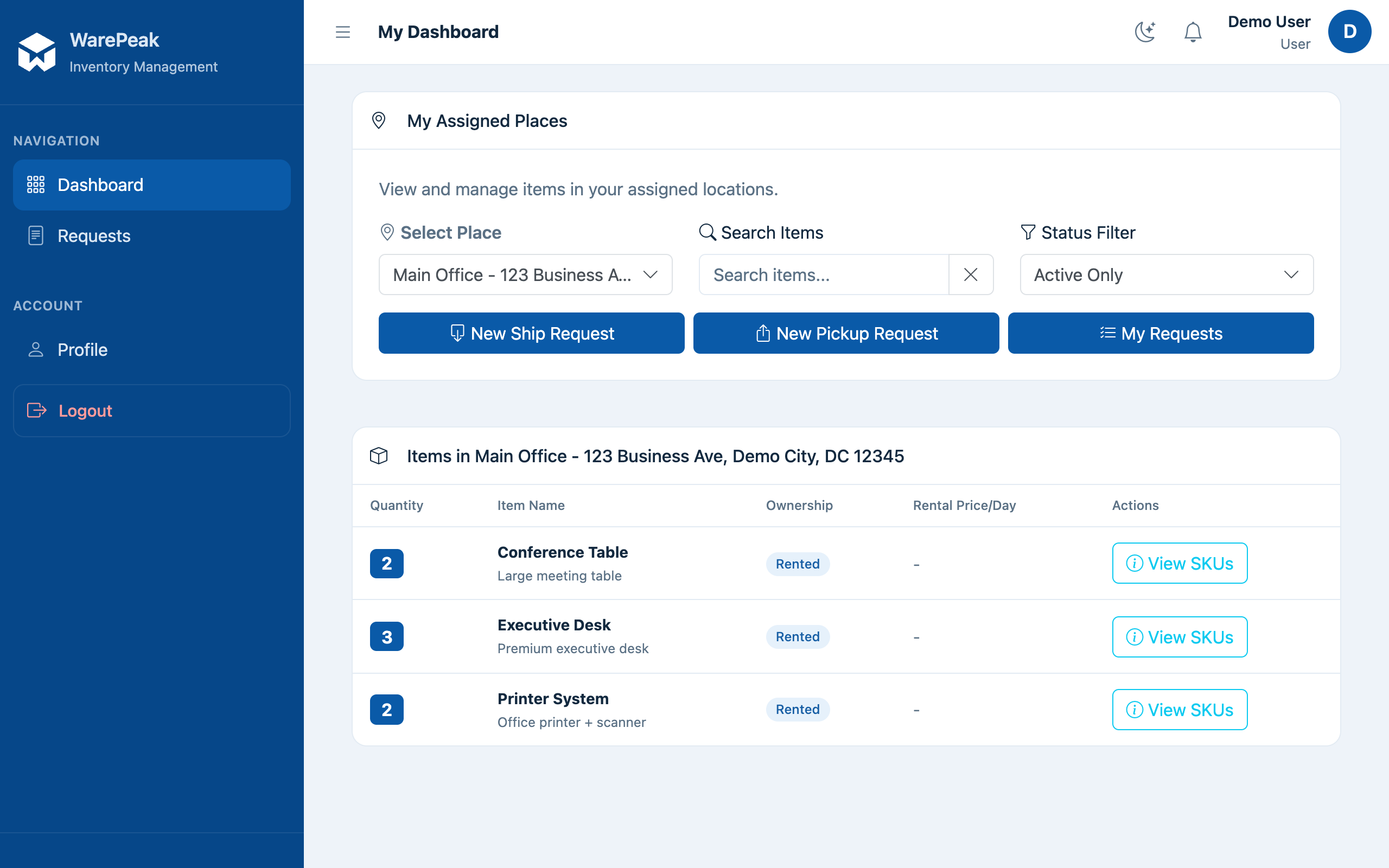
Signing in at /app/ takes you to your dashboard (dashboard_user):
- A place selector (if you have more than one assigned) and a status filter (active/inactive/all).
- The items available at the selected place, grouped by item type, with quantities and a search box for SKU/name/description.
- Quick actions to create a ship request or a pickup request.
Common tasks
- Ask for material to be shipped to your place → Create a ship request
- Ask for material to be picked up from your place → Create a pickup request
- Check the status of your requests (
/app/requests/my/) → your list of own requests, with full history at/app/requests/my/all/; you can edit or delete a request only while it’s Pending. - Change your language or profile details (
/app/profile/) → manage your profile and personal language preference from the user menu.