Warehouse Manager Guide
As a Warehouse Manager you run the day-to-day of the warehouse: approve or reject user requests, keep inventory up to date, assign users to places, and oversee external rentals and reports. You cannot create or edit places, delete rental providers, or manage users/audit logs — those are the Owner’s/Administrator’s job.
ℹ️ Everything a User can do, you can do too — roles are cumulative.
Your dashboard
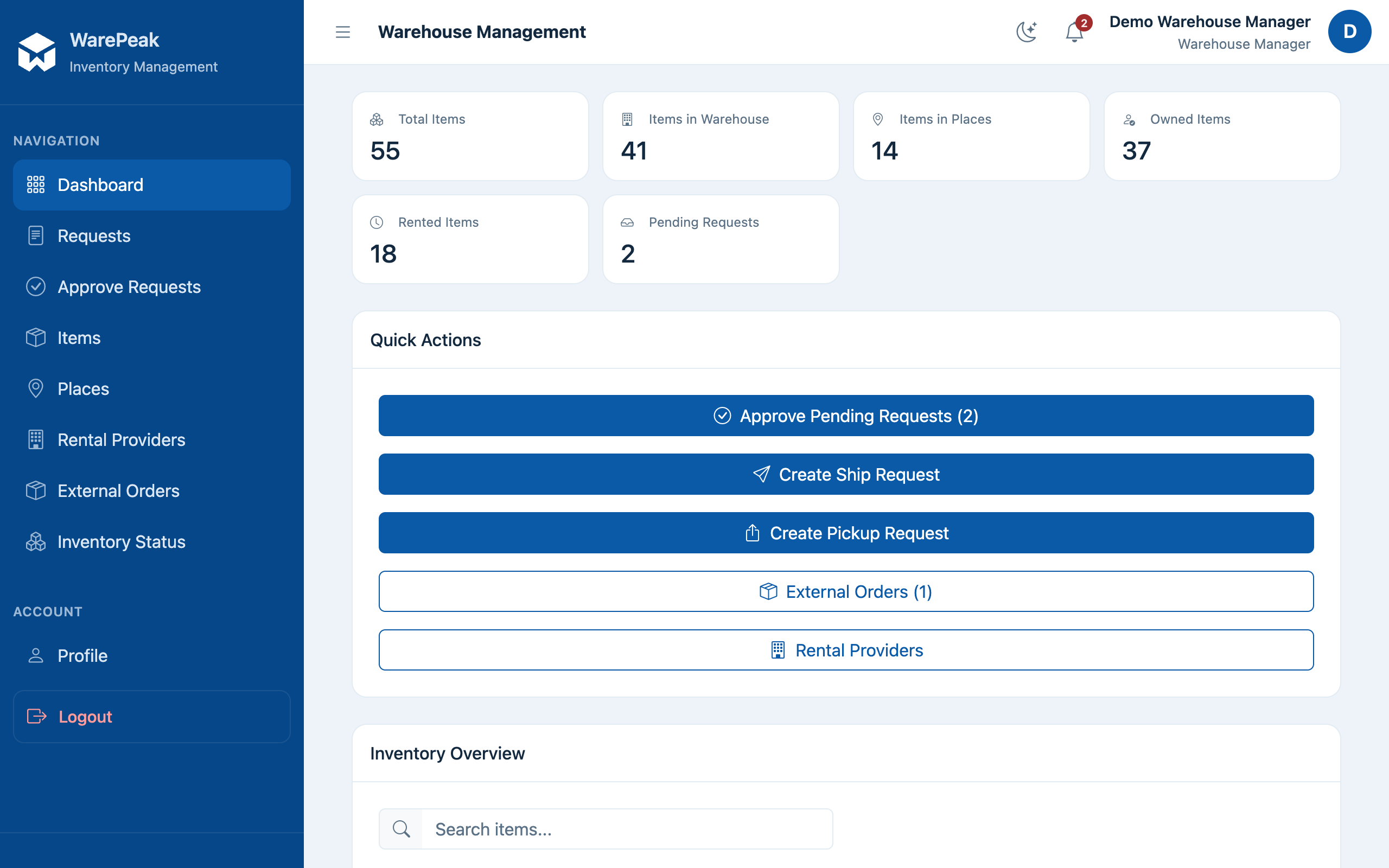
At /app/dashboard/manager/ (dashboard_manager) you’ll find:
- Inventory KPIs: total items, warehouse vs. places, owned vs. rented items.
- Warehouse items and items at places tables, grouped by item type, with search and place filtering.
- The list of pending requests (ship and pickup) waiting for your approval.
Common tasks
- Approve, reject, or partially approve requests (
/app/manager/requests/) → Approve a request - Manage inventory (item types, units, moving stock, bulk additions) → Manage inventory
- Assign users to a place (from the place detail page,
/app/places/<id>/) → Manage places; you can view places and assign/remove users, but not create or edit places. - Manage external rentals (providers and full external order management, without deleting providers) → External rentals
- Check reports on rental cost and inventory status → Reports