Administrator Guide
As the Administrator you have full control of the platform for your company: everything the Owner can do, plus complete user management (create, edit, delete, change roles) and access to audit logs.
ℹ️ Roles are cumulative: everything from the User, Warehouse Manager, and Owner guides is already included in your account.
Your dashboard
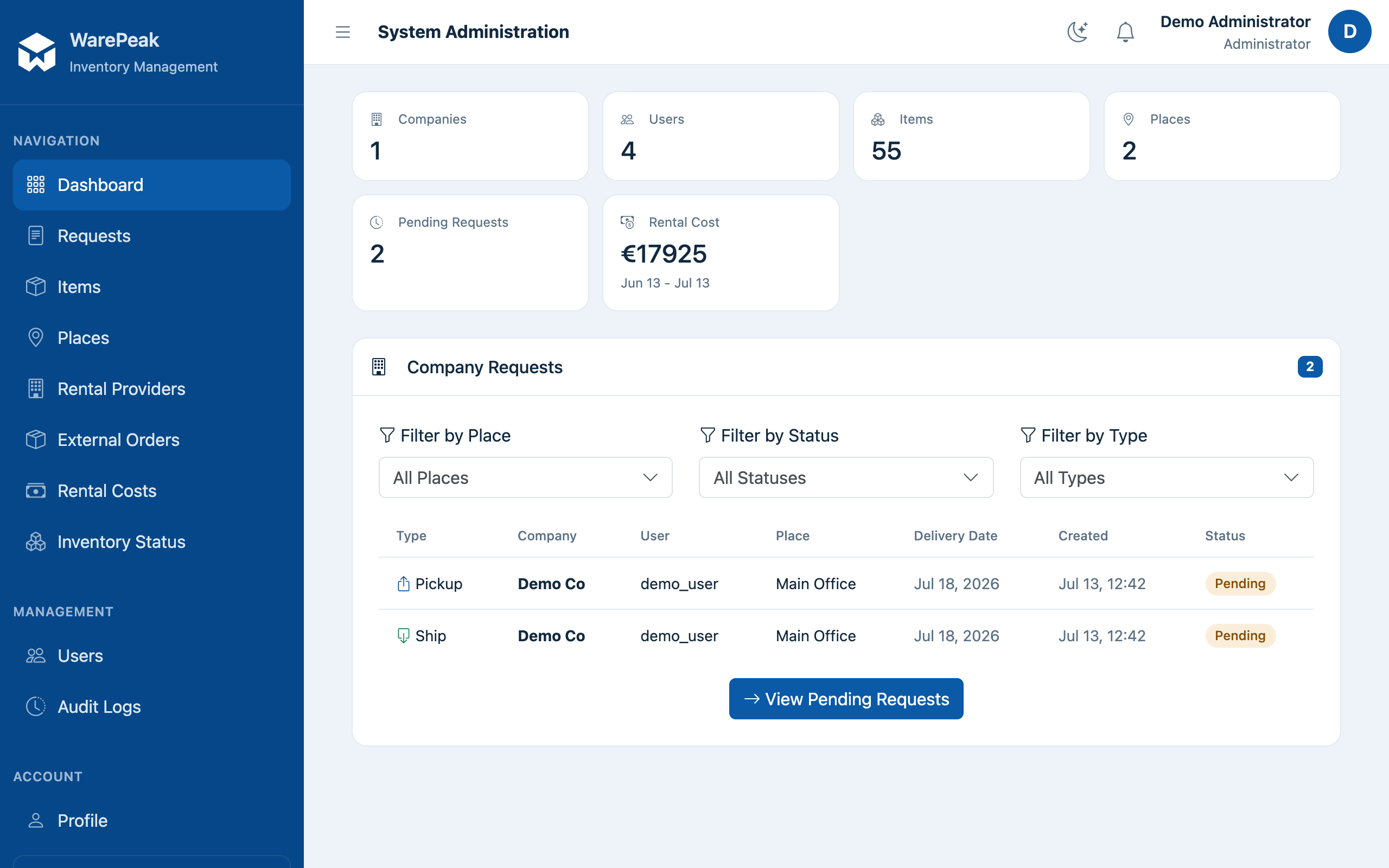
At /app/dashboard/admin/ (dashboard_admin) you’ll find:
- Company KPIs: users, items, places, rental cost for the last 30 days, and pending requests.
- A breakdown by role of the company’s users and recent activity (new users and items in the last 7 days).
- A request monitor: every ship and pickup request, with status per place and filters.
Common tasks
- Manage users (create, edit, delete, change role) (
/app/users/) → Manage users and audit logs - Check audit logs (
/app/audit-logs/) → Manage users and audit logs - Everything the Owner can do: create/edit places, manage rental providers (including deleting them), check both reports, and set the company’s default language → Manage places, External rentals, Reports
- Approve requests and manage inventory → Approve a request, Manage inventory