Reports
Reports let you check your company’s inventory status and rental costs. They’re available to Warehouse Managers, Owners, and Admins.
Inventory Status report
-
Go to Reports > Inventory Status, or open
/app/reports/inventory-status/directly. You’ll see your company’s item counts.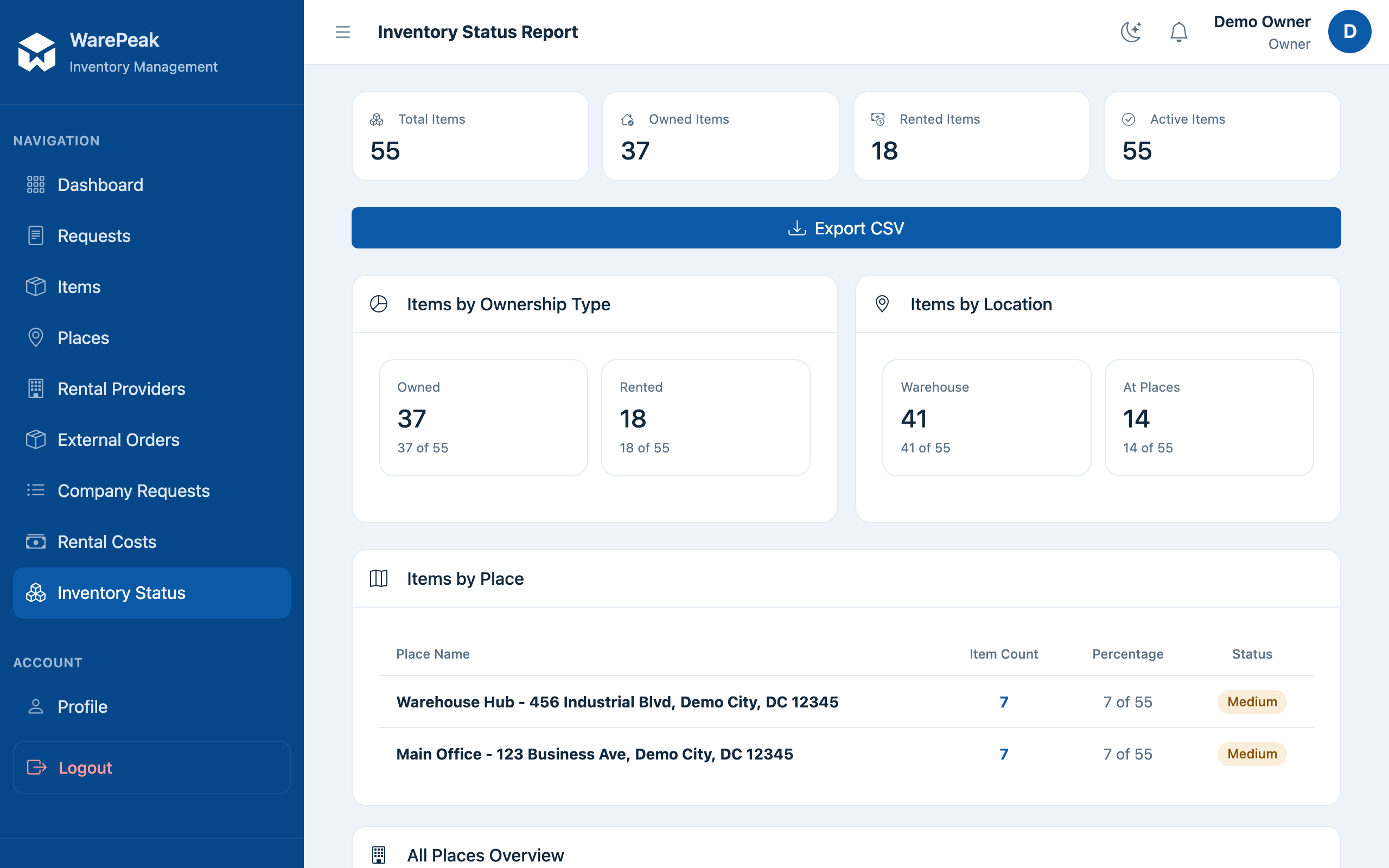
-
Check the counts grouped by ownership (Warehouse / Owned / Rented), by location, and by place.
ℹ️ To understand the difference between Warehouse, Owned, and Rented items, see Inventory model.
-
To export the report, click Export CSV, or add
?export=csvto the URL (for example,/app/reports/inventory-status/?export=csv). A CSV file with the displayed data will download.
Rental Costs report
-
Go to Reports > Rental Costs, or open
/app/reports/rental-costs/directly. By default, the last 30 days are shown.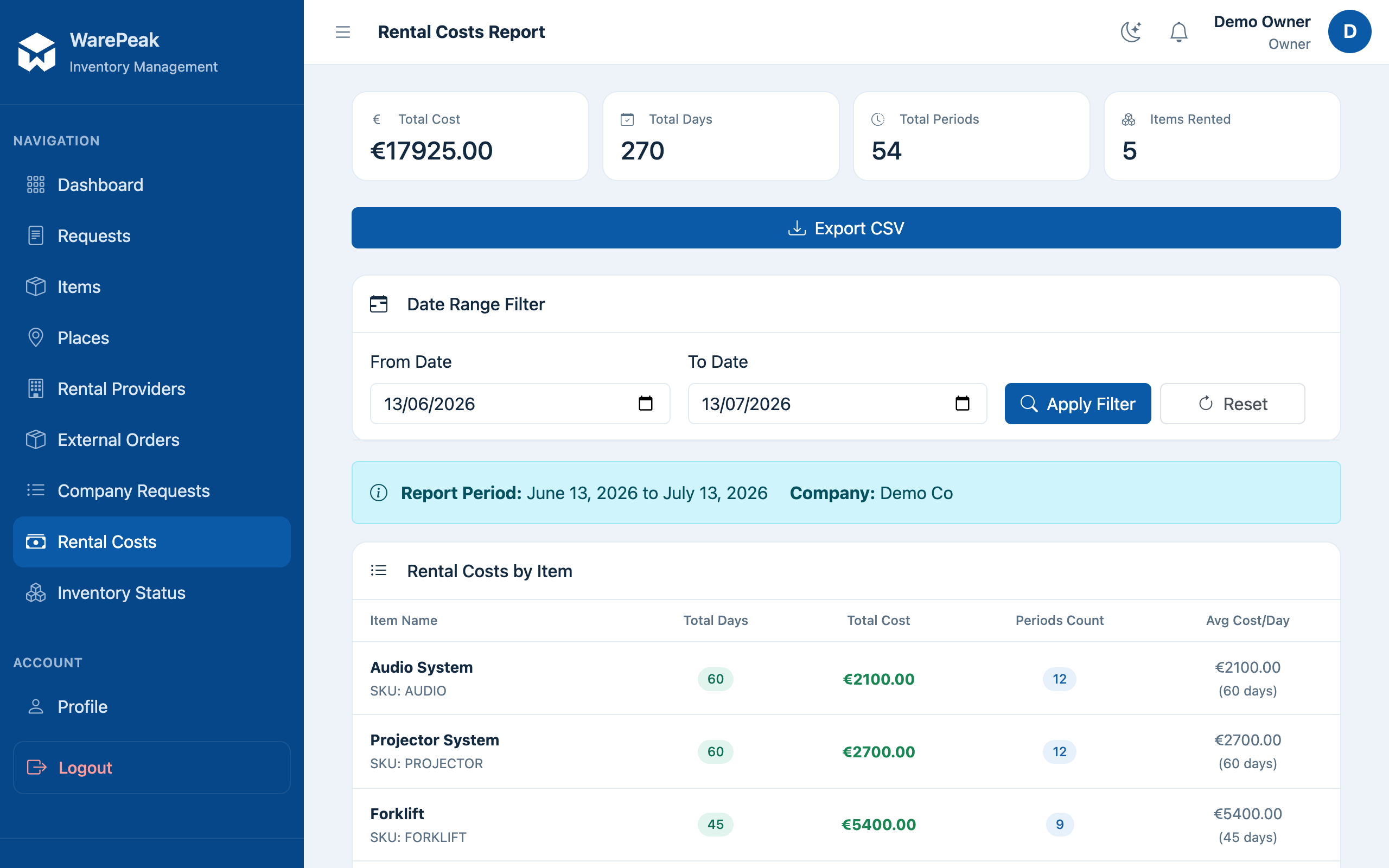
-
Use the date filter to adjust the period you want to check.
-
Review the per-item breakdown: rental days and cost per item, with the total at the end of the report.
-
Click Export CSV to download the report in that format.